
AR Spatial Computing Training System
Spatial-computing courseware plus 4K multi-view fusion scheduling for immersive skills training
At a glance
- AR spatial computing for immersive practice on virtual equipment
- Realistic operation with instant feedback — practice without consuming materials
- Supports repeated skill drills with objective recording
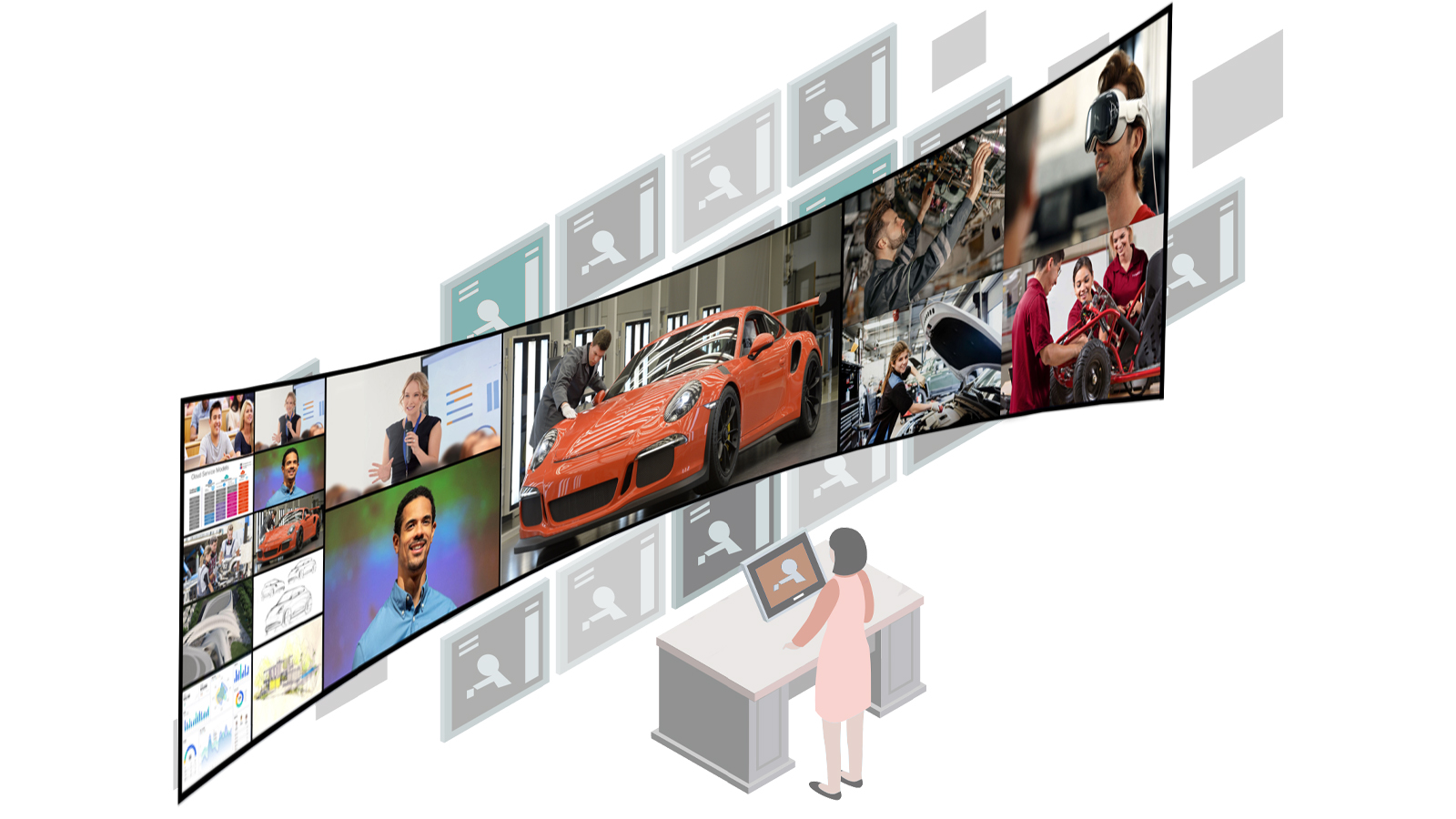
- Scheduling: 4K multi-view fusion intelligent scheduling system accepts up to 64 video inputs — the instructor calls any one of them to the main screen with a single action
- Comparison layouts: single screen, 4-split, 9-split or 32-split, plus custom layout templates for repeated teaching scenarios
- Majors: equipment-heavy programmes where practice resources are scarce or risky
The AR spatial computing training system applies spatial computing to vocational education, letting trainees practise assembly, operation and maintenance procedures on virtual equipment that behaves like the real machine. Paired with the 4K multi-view fusion intelligent scheduling system, it accepts up to 64 video inputs and lets an instructor call any of them to the main screen in a single action for single-screen or multi-split comparison.
Technical specifications
| System form | Visualisation + AR spatial computing training system |
|---|---|
| Video inputs | Up to 64 video sources into the scheduling system |
| Screen call-up | Any of the connected groups to the main screen in one action |
| Comparison layouts | Single screen / 4-split / 9-split / 32-split, custom templates supported |
| Output | Single, dual or triple screen; 32:9 ultra-wide splicing on dual screen |
| Recording | 4K multi-angle recording, up to 30 group views recorded simultaneously |
| AR device | ROKID split-type AR glasses |
What it is
The AR spatial computing training system brings spatial computing into the training room. Trainees interact with virtual equipment rendered into their real workspace — opening panels, replacing components, running start-up and shutdown sequences — with the system scoring each step against the standard procedure.
How it works
Headsets and spatial tracking anchor virtual machines onto physical benches. The courseware engine simulates the equipment's behaviour — moving parts, safety interlocks, fault states — and records every trainee action. Instructors review step-by-step replays instead of guessing what a trainee actually did.
Visualisation and scheduling run alongside it. The 4K multi-view fusion intelligent scheduling system — a registered Chinese software copyright held by Xmedia — acts as the video hub of the room: it aggregates instructor demo cameras, wireless camera positions, workstation terminals and external HDMI sources into one wall, accepts up to 64 video inputs, and lets the instructor call any single group to the main screen with one action. Layouts range from single screen to 4-, 9- and 32-split comparison, with custom layout templates for repeat teaching scenarios. During debrief, an instructor can go from a 32-split overview of the whole class to a single-screen close-up of one group without switching systems.
Typical applications
- High-cost or high-risk equipment that cannot be practised on freely
- Consumable-heavy procedures that burn materials on every repetition
- Standardized certification practice with automatic step scoring
- Group comparison teaching: up to 64 workstations supervised on one screen
Why it matters
Practice volume drives skill, but real machines limit practice: one lathe, one class, one hour. Spatial computing removes the queue and the consumables, letting every trainee repeat a procedure until it is fluent — with the evidence trail to prove it. The scheduling layer removes the second bottleneck: with up to 64 inputs on one wall, supervision stops depending on how many screens a room happens to have.
Talk to us
For specifications, configuration options and pricing, email Xmedia@139.com — our engineers reply in English and Chinese. Government-funded project references are available on the bid records page (Chinese).